쿠버네티스 보안 및 CI/CD 실습
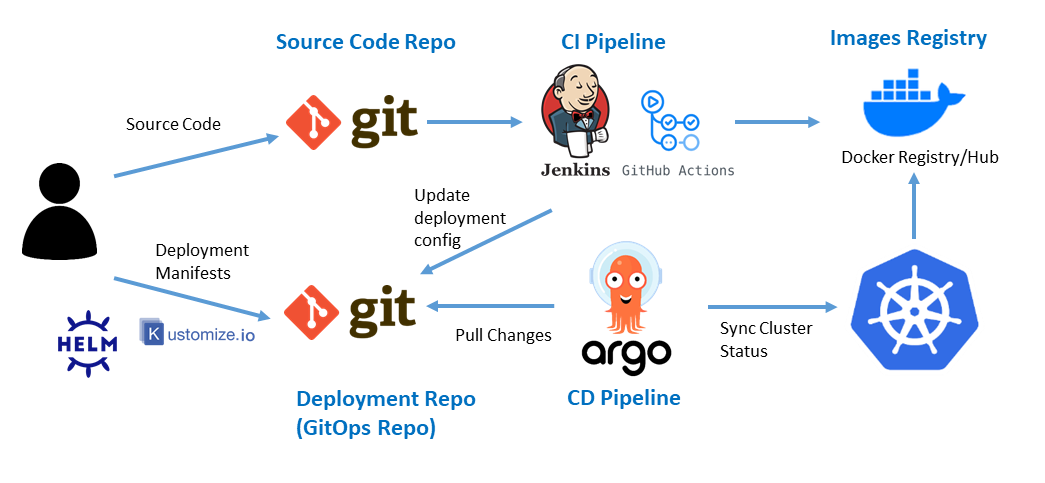
실습 구성 요소 및 역할
| 분야 | 구성 요소 | 역할 |
| 코드 저장소 | GitHub | 소스 코드 관리 |
| GPG 서명 | GitHub commit에 대한 무결성 검증 | |
| Continuous Integration (CI) | GitHub Actions | 소스코드 빌드 및 테스트 자동화 |
| SonarQube | 코드 품질 분석 | |
| Continuous Delivery (CD) | ArgoCD | Kubernetes cluster에 애플리케이션 배포 |
| Helm | Kubernetes 애플리케이션 배포 관리 | |
| 보안 스캔 | Trivy | 컨테이너 이미지 취약점 스캔 |
| Slack | 문제 발생 시 alarm |
1. 소스 코드 저장 및 관리
1.1 GitHub을 이용한 소스 코드 관리
- GitHub 가입 및 repository 생성
- git init, git add, git commit, git push 등이 일반적인 사용 방식이다.
※ 자세한 Git 사용법은 별도 블로그 글로 대체
1.2 GPG 서명을 통한 commit 무결성 검증
1.2.1 GPG 개요
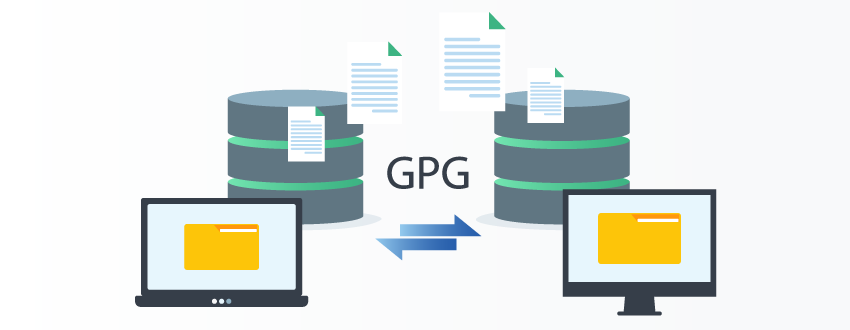
GNU Privacy Guard(GPG)는 Git commit에 서명을 추가하여 무결성을 보장한여 commit 이력이 위조되지 않았음을 증명한다.
1.2.2 GPG 설정 절차
1. GPG 다운로드
- 공식 웹사이트 또는 패키지 매니저 사용 (링크)
2. GPG 키 생성
gpg --full-generate-key
- 키 종류: RSA and RSA (기본값)
- 키 크기: 4096 bits
- 유효기간: 원하는 기간 설정 (0 = 무제한)
- 이메일: GitHub 계정과 동일한 이메일 사용
3. GPG 키 확인 및 내보내기
gpg --list-secret-keys --keyid-format=long
gpg --armor --export <KEY_ID>
4. Git & GitHub 설정
- Git
git config --global user.signingkey KEY_ID
git config --global commit.gpgsign true※ `error: gpg failed to sign the data` Windows 오류 발생 시 수동 설정 필요
git config --global gpg.program "C:\Program Files (x86)\GnuPG\bin\gpg.exe"
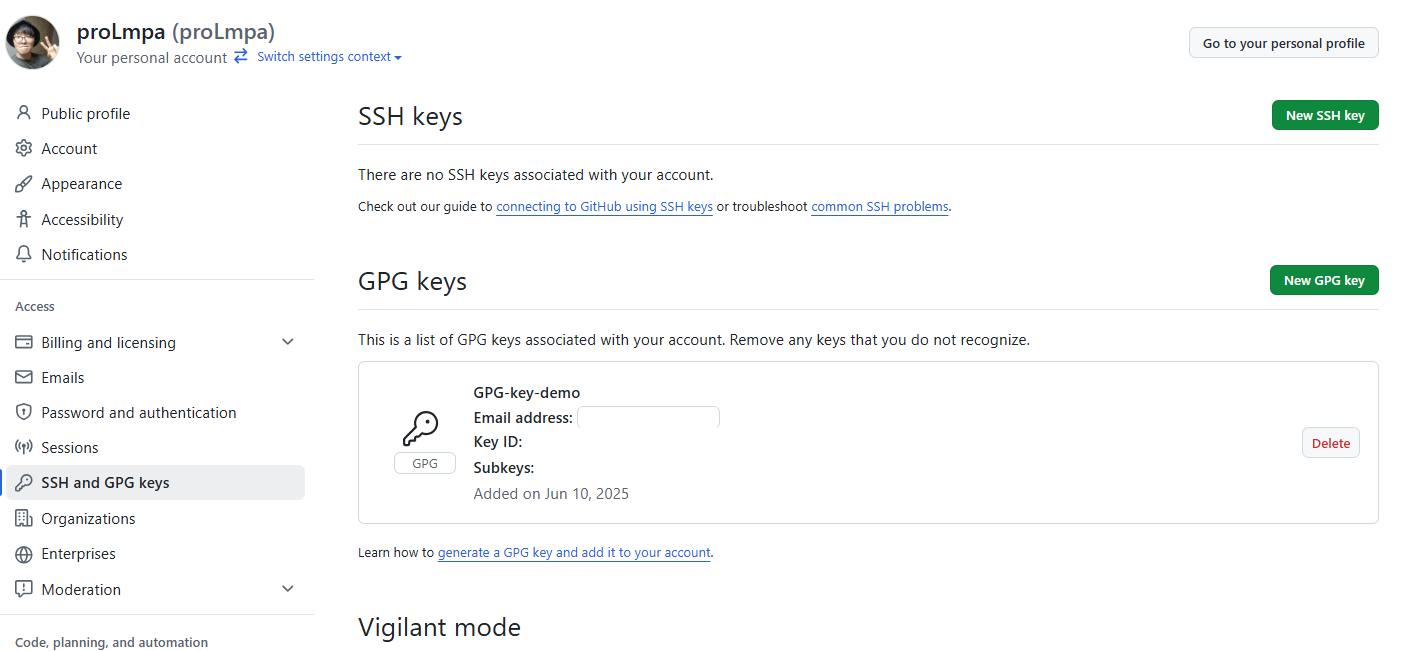
- GitHub
- GitHub Dashboard > Settings > SSH and GPG keys > "New GPG key"
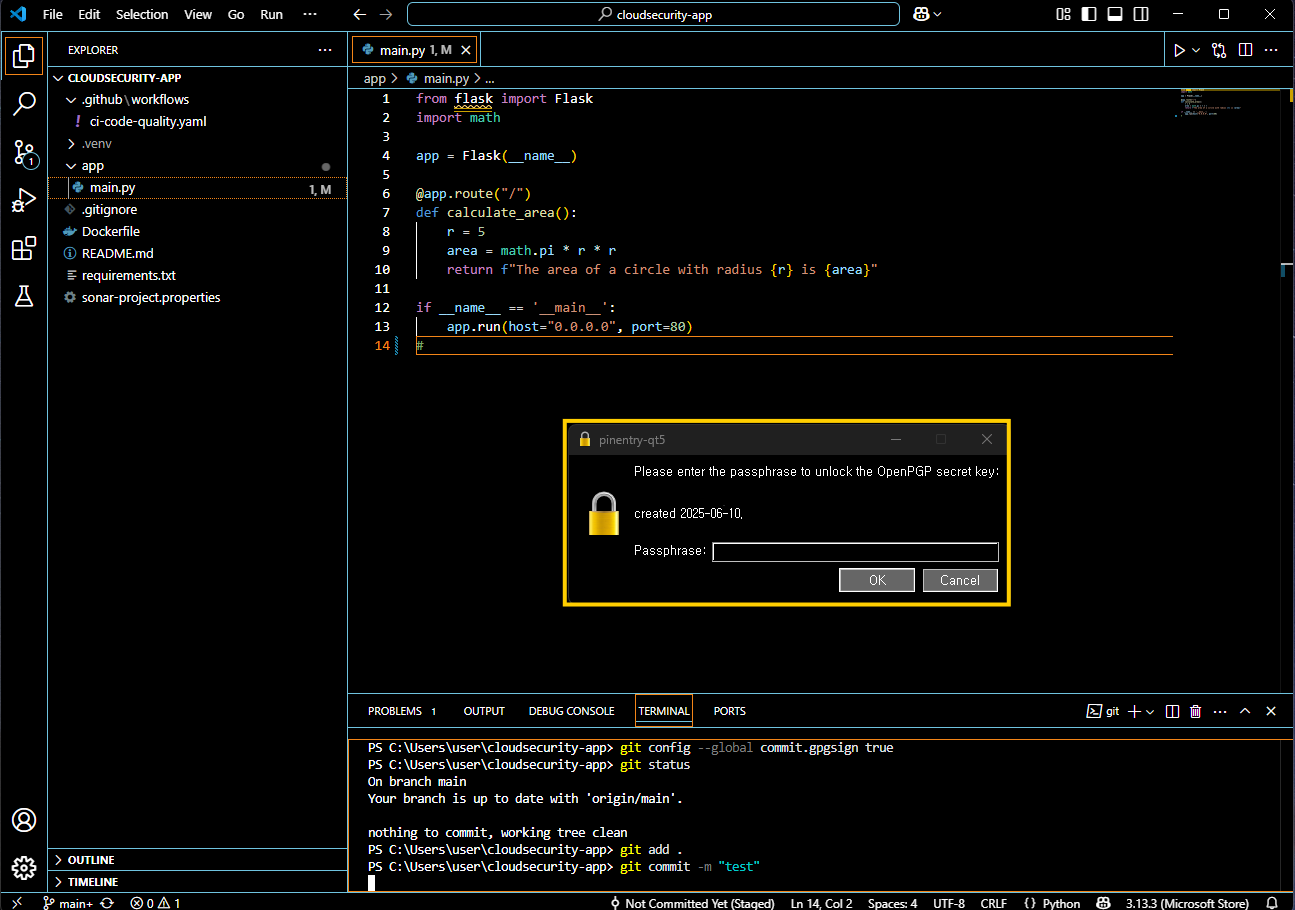
5. 커밋 서명
git commit -m "message"     # 자동 서명
git commit -S -m "message"  # 수동 서명
6. 결과 확인
GPG 설정이 성공적으로 완료되면, 앞으로 모든 GitHub commit 시 마다 RSA 키 인증 요구가 활성화된다.
2. Continuous Integration (CI)
CI 디렉터리 구조
cloudsecurity-app/
├── .github/
│   └── workflows/
│       ├── ci-code-quality.yaml        # Build + SonarQube
│       └── trivy-scan.yaml             # Trivy 취약점 검사 + Slack 알림
├── app/
│   └── main.py                         # Flask 애플리케이션 코드
├── Dockerfile                          # Flask 앱 빌드용 Dockerfile
├── requirements.txt                    # 의존성 명시 (flask 등)
└── sonar-project.properties            # SonarQube 프로젝트 설정
app/main.py
from flask import Flask
import math

app = Flask(__name__)

@app.route("/")
def calculate_area():
    r = 5
    area = math.pi * r * r
    return f"The area of a circle with radius {r} is {area}"

if __name__ == '__main__':
    app.run(host="0.0.0.0", port=80)
Dockerfile
FROM python:3.10-slim

WORKDIR /app

COPY app/ app/
COPY requirements.txt .

RUN pip install --no-cache-dir -r requirements.txt

EXPOSE 80

CMD ["python", "app/main.py"]
sonar-project.properties
# sonar-project.properties
sonar.projectKey= # sonar.projectKey
sonar.organization= # sonar.organization
sonar.host.url=https://sonarcloud.io
sonar.sources=app
sonar.language=py
sonar.sourceEncoding=UTF-8
2.1 GitHub Actions를 이용한 빌드/테스트 자동화
- GitHub repository > Settings > Actions > General
- Actions permissions : Allow all actions
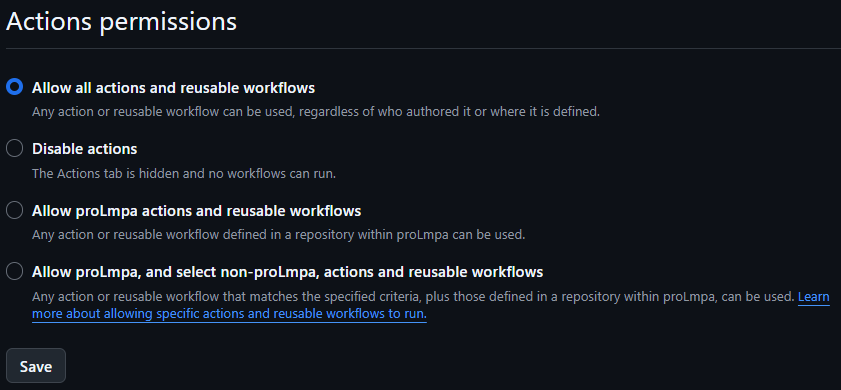
- Workflow permissions : Read and write permissions
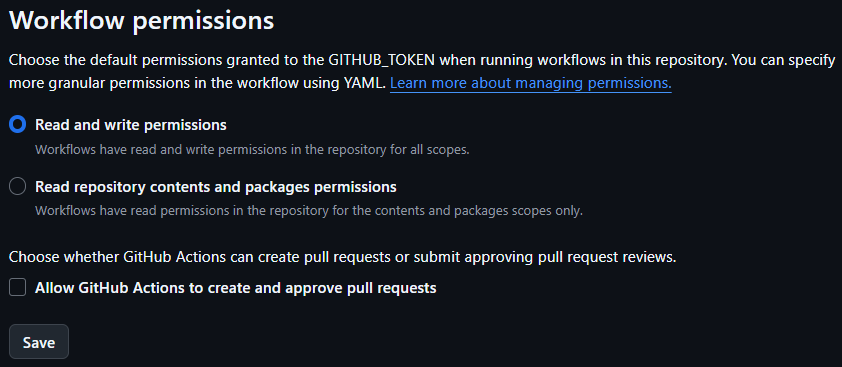
- Actions permissions : Allow all actions
- .github/workflow 경로에 yaml 파일 작성
2.2 SonarQube를 통한 코드 품질 분석

1. 주요 분석 항목
- 코드 중복, 복잡도
- 정적 보안 취약점 (SAST)
- 스타일 규칙 위반
- 테스트 커버리지
즉, CI 파이프라인에 통합하여 코드 push 시 품질 보증 게이트 역할을 한다.
2. SonarQube 사용 절차
- https://sonarcloud.io 가입 > GitHub 계정 연동
- 프로젝트 생성 > GitHub 리포 선택
- 프로젝트 키 & Organization 이름 확인
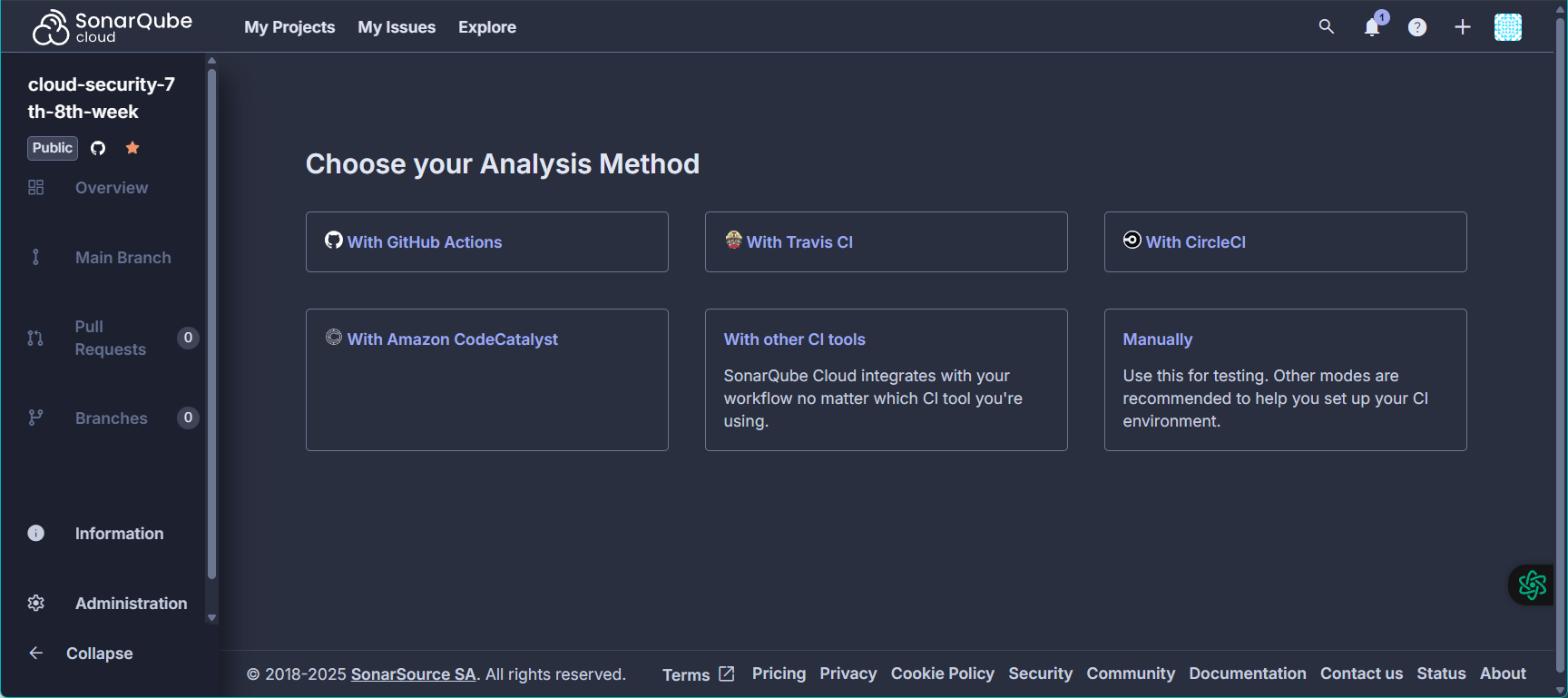
- User → My Account → Security → Generate Token → SONAR_TOKEN 생성
- GitHub Secrets에 추가
2.3 GitHub Actions (CI + SonarQube + Docker)
name: CI - Build & SonarQube

on:
  push:
    branches: [ "main" ]

jobs:
  build-and-scan:
    runs-on: ubuntu-latest

    steps:
      - name: Checkout source code
        uses: actions/checkout@v3
        with:
          fetch-depth: 0  # Fetch all history for all branches and tags

      - name: Set up Python
        uses: actions/setup-python@v4
        with:
          python-version: "3.10"

      - name: Set up Docker Buildx
        uses: docker/setup-buildx-action@v2

      - name: Log in to DockerHub
        uses: docker/login-action@v2
        with:
          username: ${{ secrets.DOCKER_USERNAME }}
          password: ${{ secrets.DOCKER_PASSWORD }}

      - name: Install Python requirements
        run: |
          pip install --upgrade pip
          pip install -r requirements.txt

      - name: SonarQube Scan
        uses: SonarSource/sonarcloud-github-action@v2
        with:
          projectBaseDir: .
        env:
          SONAR_TOKEN: ${{ secrets.SONAR_TOKEN }}
          SONAR_PROJECT_KEY: # SONAR_PROJECT_KEY
          SONAR_ORGANIZATION: # SONAR_ORGANIZATION
          SONAR_HOST_URL: https://sonarcloud.io


      - name: Build Docker image
        run: |
          docker build -t prolmpa/cloudsecurity-7th-8th-week:latest .

      - name: Push Docker image (if passed all)
        run: |
docker push prolmpa/cloudsecurity-7th-8th-week:latest결과 확인
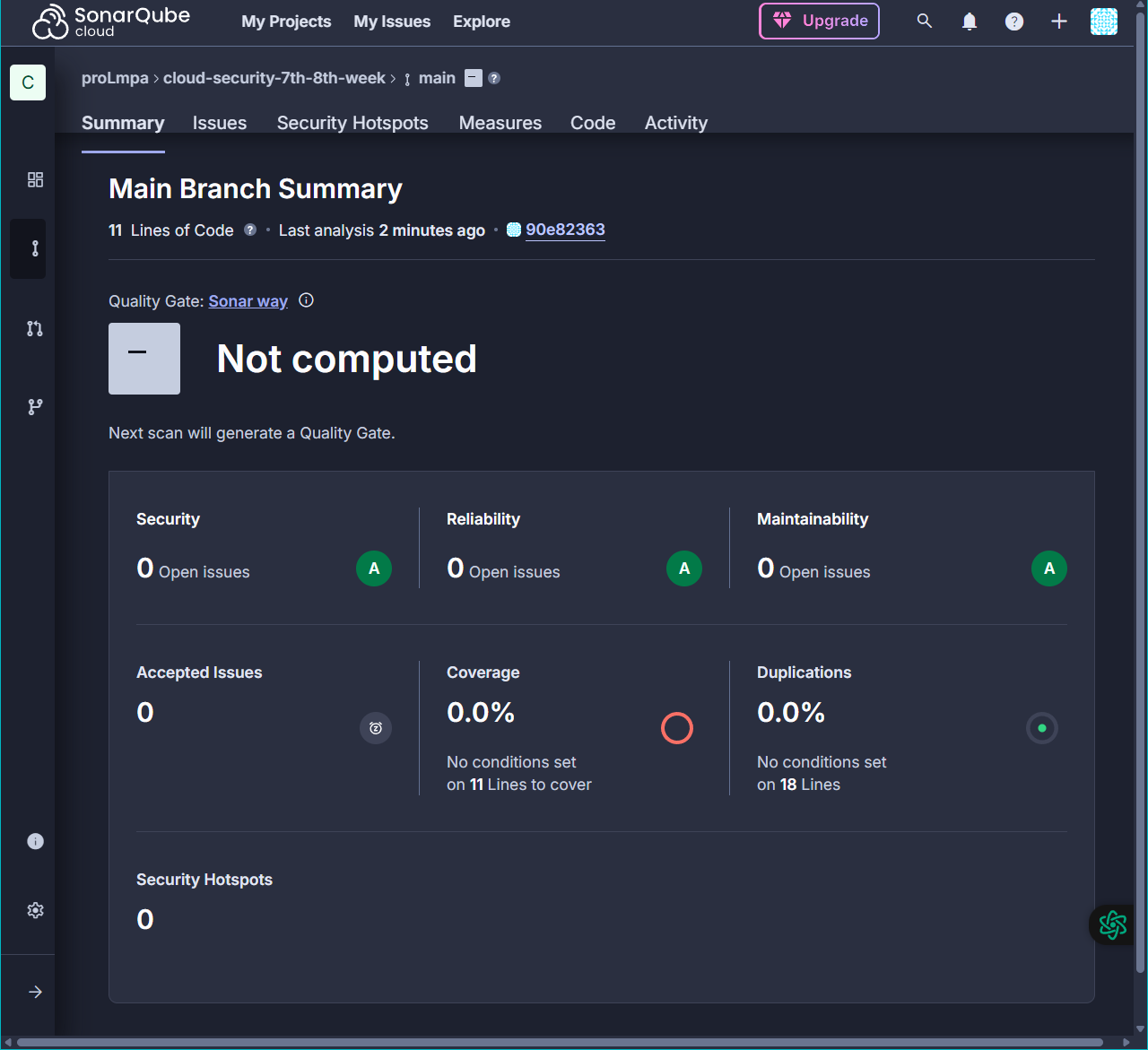
1) SonarQube 코드 분석
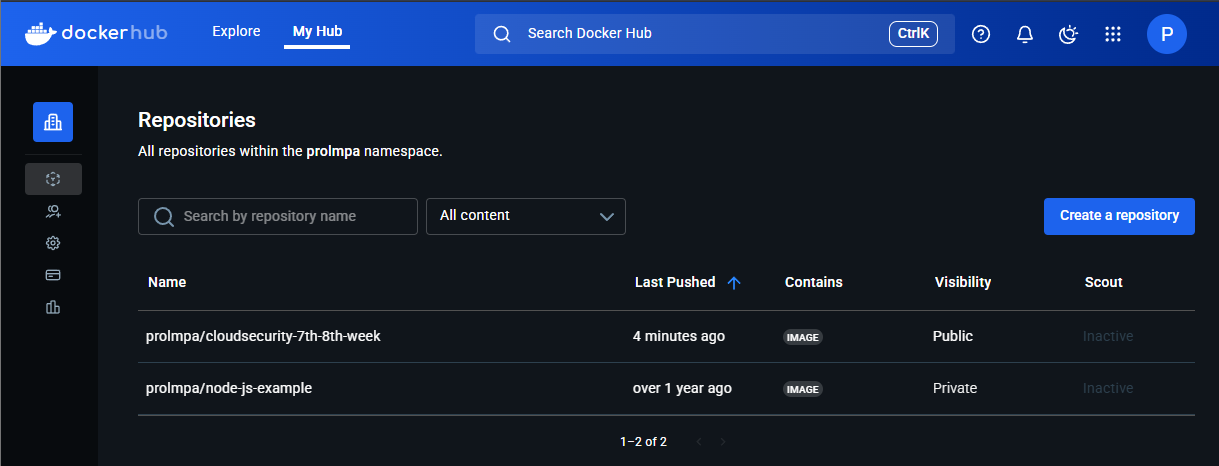
2) Docker Hub 이미지 Push 확인
참고 자료
- Github Actions를 활용한 Kubernetes CI/CD 자동화 - Genspark
- [따배GitOps] AWS 계정 가입부터 GitHub 리포지토리 생성까지!_01. CICD 구성 준비(1)
'Cloud Security' 카테고리의 다른 글
| [Cloud Security] AWS 보안 이벤트 실시간 알림 스택 구축기 (1) | 2025.11.13 |
|---|---|
| [Cloud Security] 쿠버네티스 보안 및 CI/CD 환경 분석 - CD 구현 (0) | 2025.06.12 |
| [Cloud Security] 9주차. 쿠버네티스 보안 및 CI/CD 환경 분석 (0) | 2025.06.08 |
| [Cloud Security] 8주차. 컨테이너를 이용한 쿠버네티스 아키텍처 파악 (0) | 2025.06.03 |
| [Cloud Security] 7주차. Okta를 활용한 GitHub Organization 연동 가이드 (0) | 2025.05.31 |